Back to the manuals overview
Log in via your web browser at http://192.168.178.1 or http://fritz.box
Default Username and Password are both admin
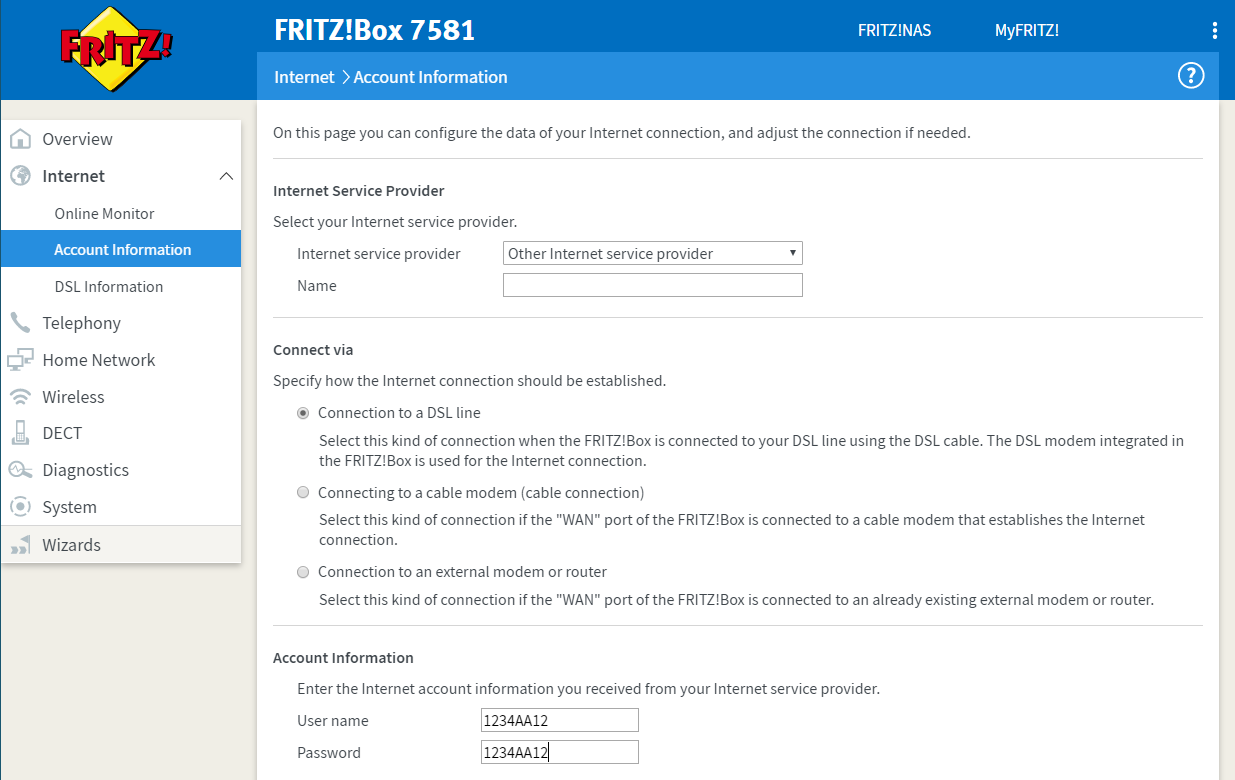
In the left menu, go to Internet > Account Information
Under Internet service provider, select Other Internet service provider
Under Account Information, enter the Username and Password you received from us.
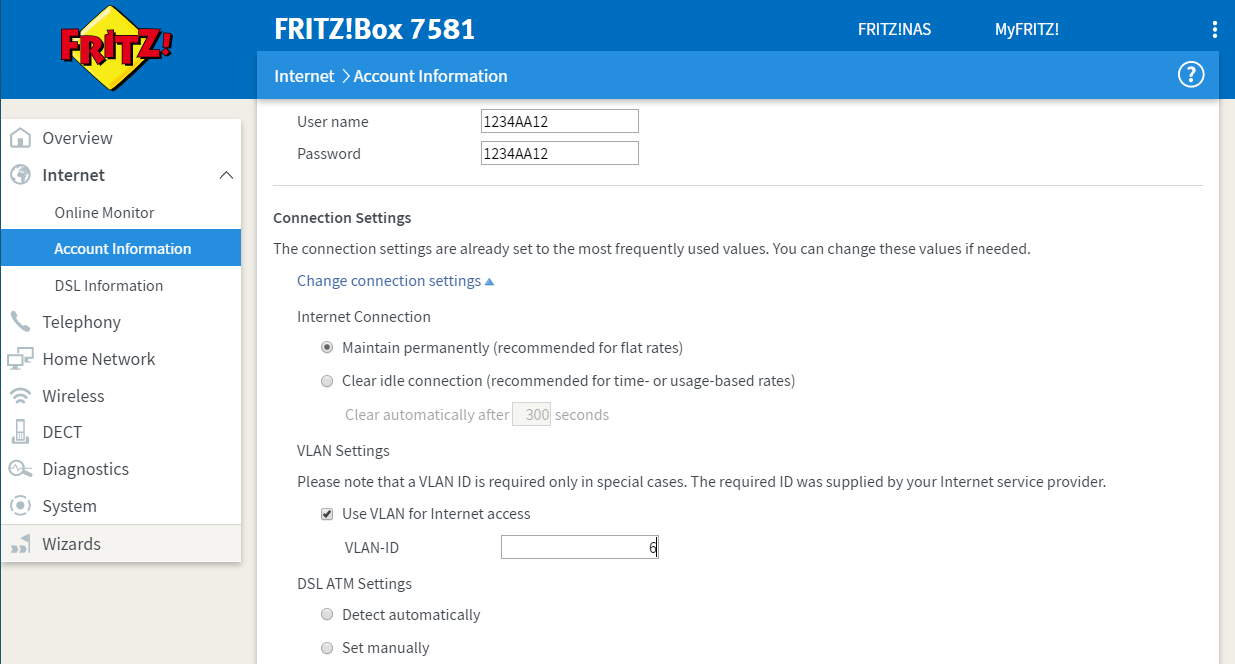
Click Change connection settings to expand the settings.
Then enable Use VLAN for internet access and enter 6 for VLAN-ID
Then click OK at the bottom of the page
An internet check will run, and the router will be ready to use!
Internet: FRITZ!Box 7581 (VDSL)
Step 1: Log in
Log in via your web browser at http://192.168.178.1 or http://fritz.box
Default Username and Password are both admin
Step 2: Account information
In the left menu, go to Internet > Account Information
Under Internet service provider, select Other Internet service provider
Under Account Information, enter the Username and Password you received from us.
Step 3: VLAN setting
Click Change connection settings to expand the settings.
Then enable Use VLAN for internet access and enter 6 for VLAN-ID
Then click OK at the bottom of the page
An internet check will run, and the router will be ready to use!

