Back to the manuals overview
Device: Experiabox V8
About the Telfort Experiabox V8:
With a Telfort internet subscription, you always get a wireless modem on free loan. The modem supports both internet and landline calling.
KPN also supplies the Experiabox V8, but locks the modem down so it's not possible to change the voice settings.
For more information see http://www.telfort.nl/Persoonlijk/Service/Internet/Gebruiken/Modem-en-routers/Handleiding-en-specificaties-Arcadyan-Experia-box-v8.htm
Connecting it:
If Telfort is your provider, the device is already connected to the internet. If not, connect the device to your router (WAN) with a network cable, plug the adapter into the mains, and connect your phone to phone 1 and/or phone 2.
If needed, the device can be reset to factory settings by holding the reset button on the back for 10 seconds
IP address:
The default IP address for Telfort users is 192.168.2.254.
For non-Telfort users, the IP address can be found by first entering your router's IP address in the browser and looking up the IP address assigned to the Experiabox V8.
After entering the IP address, the following screen appears: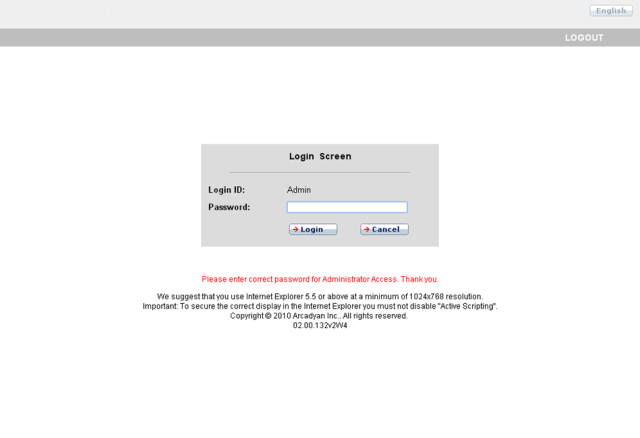
Enter the username and Password and click log in (default user is Admin, password is 1234)
You'll then land in the password menu, where you need to change the password.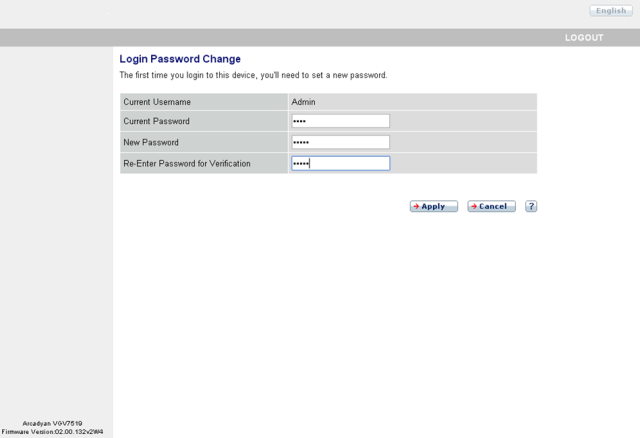
After doing this, the following screen appears: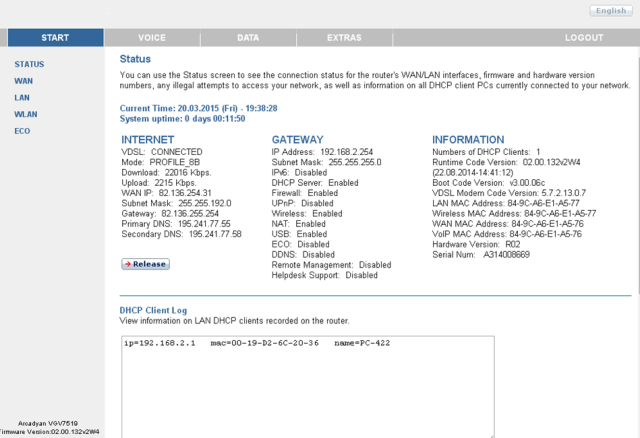
Now click VOICE and the following screen appears: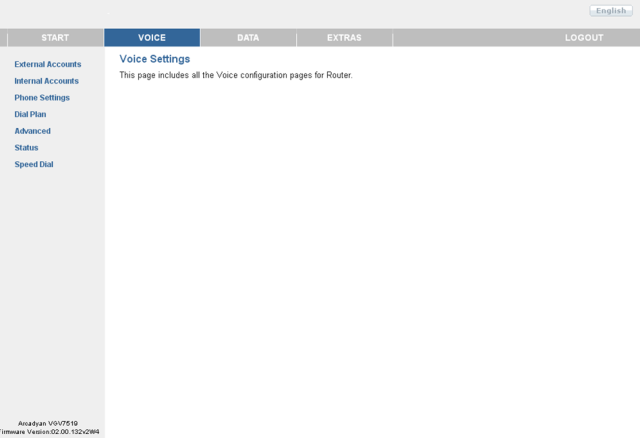
Now go to External Accounts: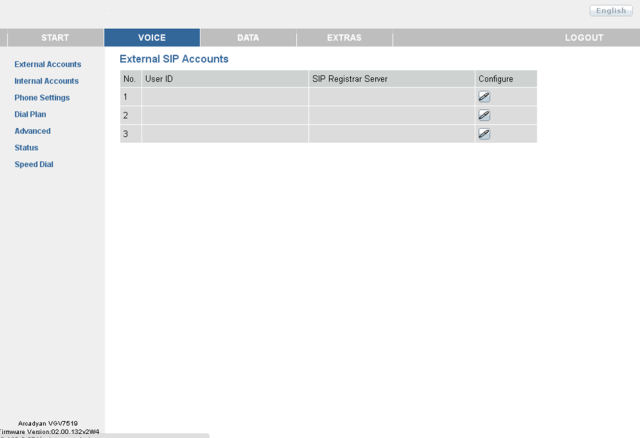
Here you can create 3 different SIP accounts. Click Configure next to No 1 and you'll see the following screen: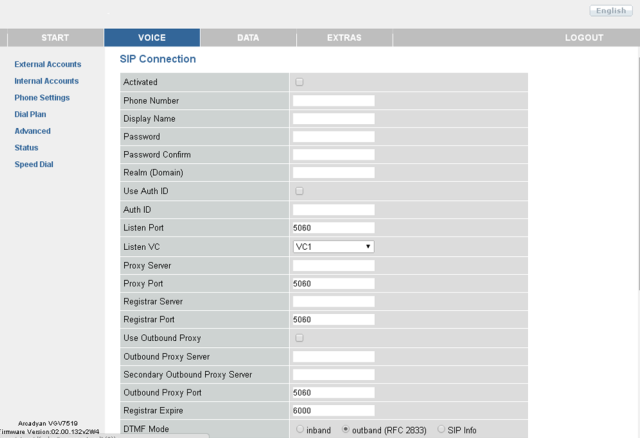
Here you can fill in the CheapConnect details, see the screen below: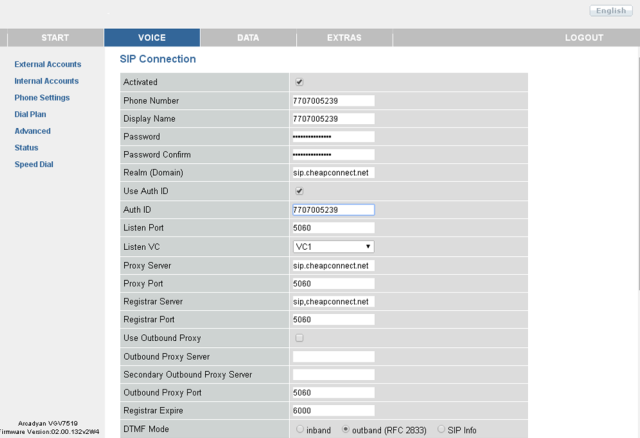
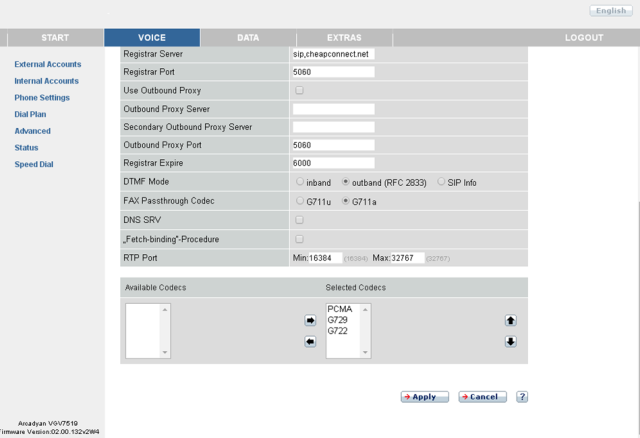
For Activated: check the box.
For Phone Number: the international phone number purchased from CheapConnect (e.g. 7707005239)
For Display Name: phone number, provider name, or your own name, etc.
For Password: the password that belongs to your phone number (e.g. wachtwoord123)
For Realm (Domain): sip.cheapconnect.net.
For Use Auth ID: check the box.
For Auth ID: the international phone number purchased from CheapConnect (e.g. 7707005239)
For Listen Port: 5060.
For Listen VC: VC1.
For Proxy Server: sip.cheapconnect.net.
For Proxi Port: 5060.
For Registar Server: sip.cheapconnect.net.
For Registar Port: 5060.
For Regitetrar Expire: 3000, value must be between 300 and 3600
Leave the remaining fields on their factory settings and click Apply.
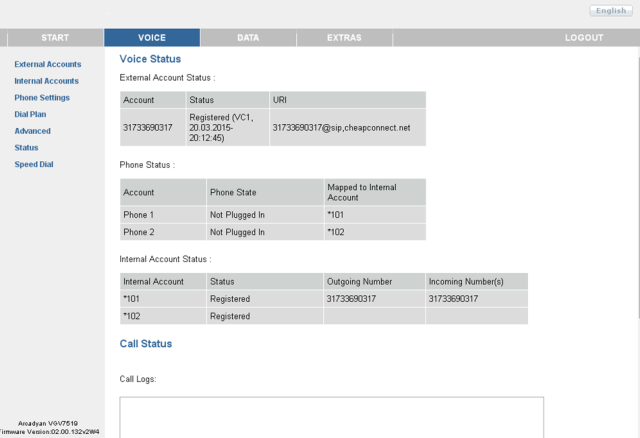
The following screen appears and you're connected to CheapConnect.